Pages

Showing posts with label shortcut keys. Show all posts

Tuesday, November 13, 2012

Most Commonly Used Shortcut Keys


Windows 8 Shorcuts and Screen Caps of what they do!!
Windows + C                                     - Access the Charms Bar
Windows + Q                                     - Access the Search Menu
Windows + Tab                                  - Access the Modern Desktop Taskbar
Windows + I                                       - Access the Settings Charm
Windows + H                                      - Access the Share Charm
Windows + K                                      - Access the Device Charm
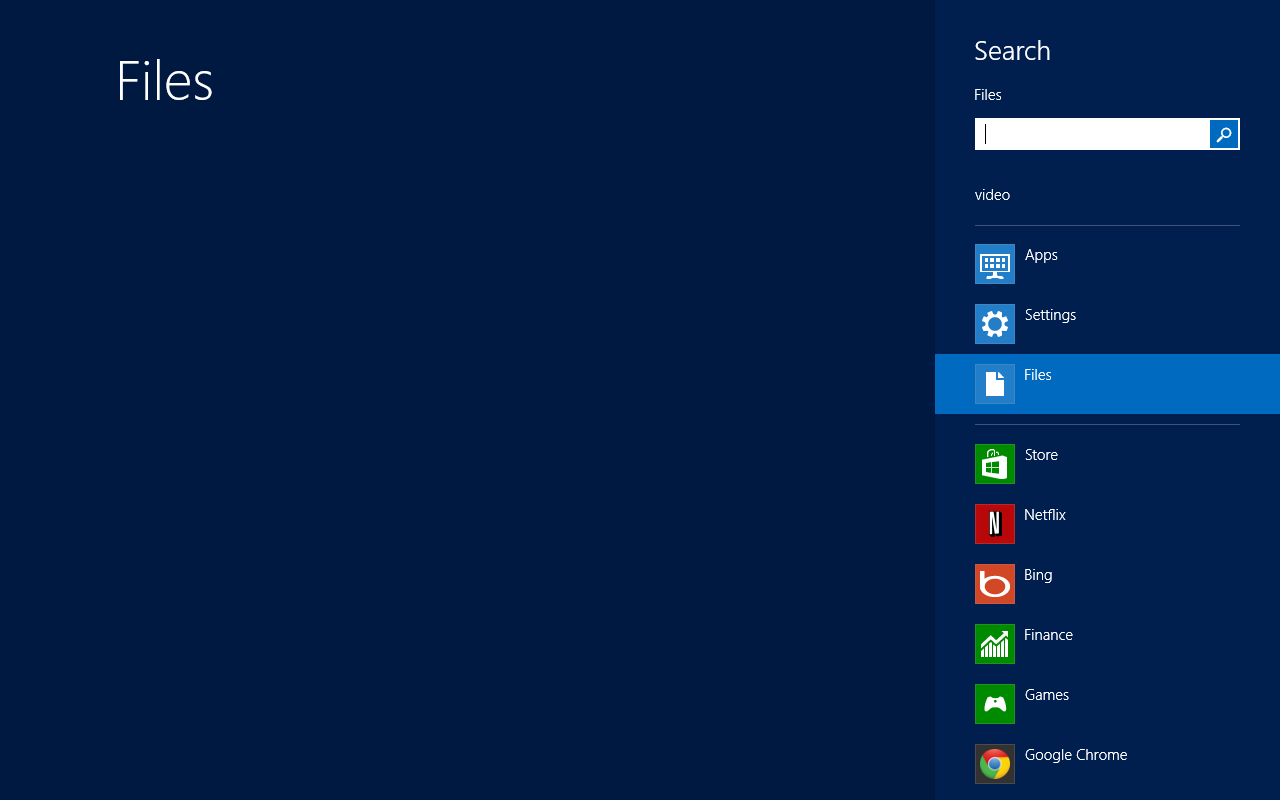
Windows + F                                       - Access the Files Search Screen
Windows + W                                      - Access the Settings Search Screen
Windows + P                                        - Access the Second Screen Bar
Windows + Z                                       - Brings up the app bar when your using an app
Windows + X                                       - Access the Tools Menu
Windows + E                                       - Open Computer
Windows + R                                       - Open Run Dialog Box
Windows + U                                       - Open Ease of Access Center
Windows + Enter                                 - Launch Narrator
Windows + Pause/Break                      - Open the System Page
Windows + Left Arrow                        - Tile current window to the left of the screen
Windows + Right Arrow                      - Tile current window to the right of the screen
Windows + Home                               - Minimize all but the current window ( so i capped this one while it          .                                                             was still minimizing


Sorry didn't have time to screen cap the rest of the shortcuts but here they are if you want to try them out

Windows + Shift + Left/Right Arrow   - Move current window from one screen to another
Windows + Shift + Up Arrow             - Extend current window from top to bottom
Windows + CTRL + B                       - Access the program that is displaying a notification
Windows + .                                      - Move the screen split to the right
Windows + Shift + .                           - Move the screen split to the left
Windows + V                                    - View all active Toast/Notifications
Windows + Shift + V                         - View all active Toast/Notifications in reverse order

Windows + O                                      - Lock Screen Orientation

Windows + T                                      - Cycles through items on the taskbar
Windows + M                                     - Minimizes all windows at once
Windows + D                                      - Show/Hide Desktop (minimize/restore all open windows)
Windows + L                                      - Lock Computer

Windows + (1-10)                               - Launches an item on your taskbar depending on which # you press
Windows + Up Arrow                          - Maximize current window
Windows + Down Arrow                     - Minimize/Restore current window

Windows + B                                       - Select the first item in your notification bar you can then use the            .                                                              arrow keys to select which notification you would like to select .     .                                                              and then press enter


windows 8 cool features

So windows 8 pro is pretty sweet both on touch screen computers and on non-touchscreen computers!
I am currently running windows 8 pro x64 legitimately through msdn on my laptop which is an old dell inspiron 1525, a dell inspiron 531s desktop, on my grandmas desktop which is a dell inspiron one 19 touch and her laptop i just fixed for her which is a toshiba satellite L305-S5955 the specs of each system will be in the next post but since i've been testing them each one seems to run smoother than windows 7 did! :)
so i've been doing some research and so far win 8 pro is by far better than windows 7 ultimate edition in both compatibility, performance, and advanced features like the task manager the task manager is way better for advanced users like me ill post pictures in the end of this post. Plus windows 8 has some pretty nifty features like instead of having to press print screen and paste it into something like paint you can simply use some new windows key shortcuts like pressing the windows key + prnt scrn  at the same time and a new screenshot will be in your pictures library. plus other features that will later be described in this blog